


Smart Home Security: Understanding Your Alarm Sensor System

Smart home tech gives you remote control over your security, energy use, and daily convenience through a single app on your phone. It's all part of the IoT ecosystem — your devices talk to each other, learn your habits, and act on them without you lifting a finger. At the center of it all sits an automation controller that ties everything together. You can manage your entire home from anywhere, and that includes your security system.
Integrated Alarm Sensors
Everyone wants to feel safe at home. That's obvious. But with crime rates in Indonesia still a real concern, "wanting" isn't enough — you need an actual system in place. The good news? Alarm sensor technology has caught up. Today's systems connect directly to your smartphone, so you can monitor what's happening at home whether you're at the office or on vacation halfway across the world.
Alarm Terms You Should Actually Know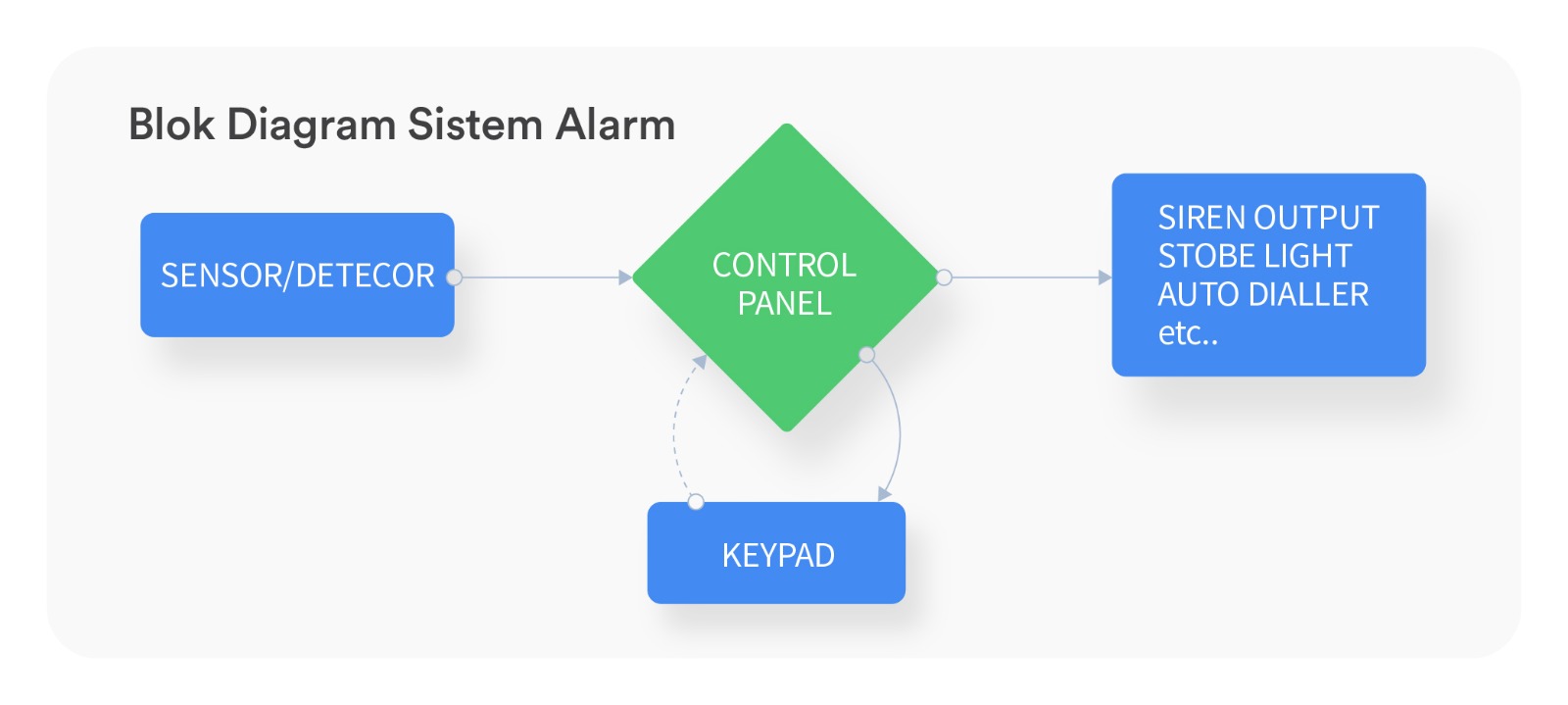
Before installing an alarm sensor system, it helps to understand the terminology. You'll run into words like Zone, Arm, Disarm, Bypass, Home Arming, Stay Arming, Away Arming, and others. Some might sound familiar. Most probably don't. Here's a plain-English breakdown of the common ones:
1. Arm / Disarm
This tells you whether your system is active (Armed) or inactive (Disarmed). Note: alarm systems don't use "On" and "Off." There's a reason for that. You can't just unplug an alarm like a desk lamp and call it a day. The system needs to be properly armed or disarmed through its control interface.
2. Zone
A zone is a grouped area protected by a specific sensor. Say Zone 1 covers the door contacts on your garage door and front door. Zone 2 handles the living room windows. Zone 3 is the PIR sensor in the living room. And so on. There's no fixed rule for how you number them — that part is flexible. But think carefully about how you set it up, because a badly planned zone layout can make your own system annoying to live with.
3. Exit/Entry Zone (Delay Zone)
When you leave the house, certain zones need a built-in time buffer so you can walk through them without setting off the siren. That's the Exit/Entry Zone.
Here's how it works in practice. You punch in your code on the keypad to arm the system. A countdown starts — let's say 45 seconds. That's your exit delay. You walk through Zone 1 (front door) and Zone 4 (hallway), get outside, and the countdown expires. System is now armed.
Coming home works the same way, in reverse. You open the front door, and instead of the siren screaming at you, the system gives you a window — maybe 30 seconds — to reach the keypad and enter your PIN. That window is the entry delay. Type your code in time, and the system disarms quietly. Miss it, and... well, your neighbors will know you're home.
4. Follower Zone
This one is tied to the Exit/Entry Zone. When you walk through Zone 1 and trigger the entry delay, Zones 3 and 4 automatically follow that same delay. So you can pass through the hallway and living room on your way to the keypad without triggering an alarm. But here's the catch: if there's no active delay happening and someone enters through Zone 3 or 4 directly — say, through a back window instead of the front door — the alarm fires immediately. No grace period.
5. Instant Zone
Exactly what it sounds like. Any breach triggers the alarm instantly, zero delay. These are typically assigned to windows and other entry points you'd never use during normal comings and goings. In our example layout, Zones 2, 5, 6, 7, and 8 are all candidates for Instant Zone programming.
Now that you know the language, you're in a much better position to have a real conversation with your installer — and to make sure your system actually works the way you need it to.
Need help figuring out the right alarm setup for your home? Talk to SECOM.